Best Free iPhone Wallpaper Apps in 2026
A curated list of the best free wallpaper apps for iPhone, comparing features, ad policies, and image quality.
Read more →Discover, preview, and set stunning wallpapers on your iPhone in one tap. Free downloads, no ads, no subscriptions.
FreeWall does one thing exceptionally well: help you find and set the perfect wallpaper.
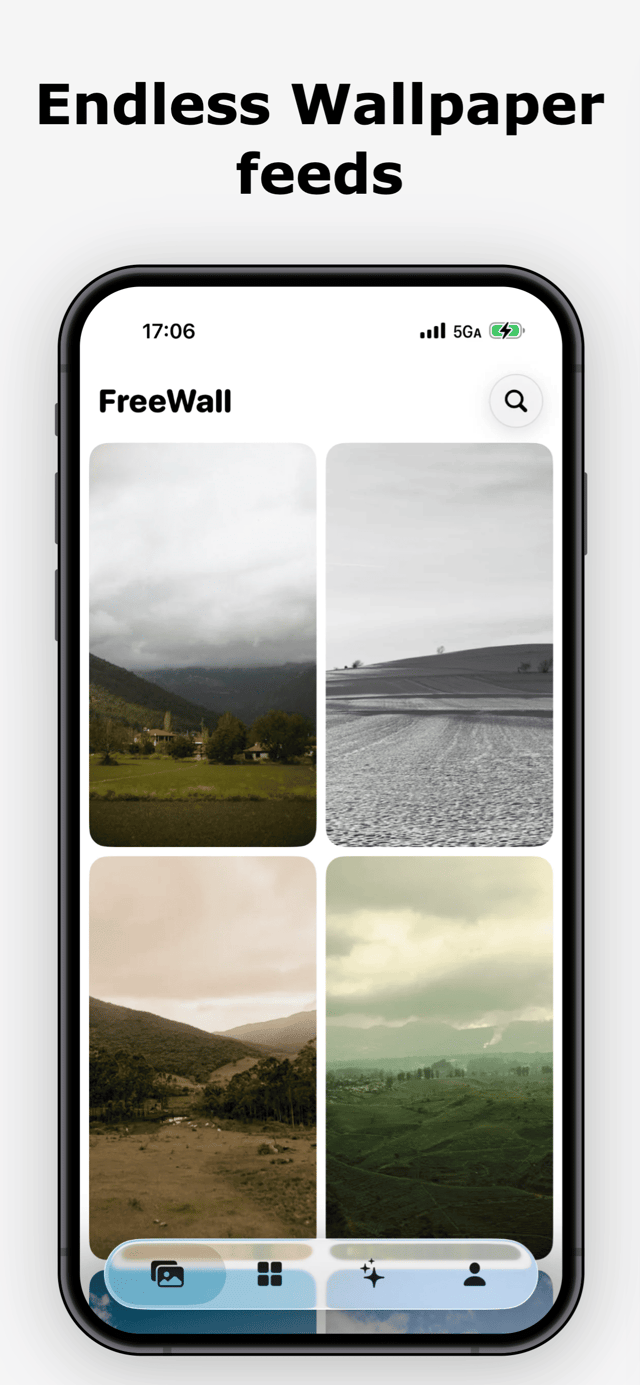
Browse a curated stream of high quality wallpapers. Swipe through and find the one that speaks to you.
Setting the perfect wallpaper should not be a chore.
No banners, no pop-ups, no interruptions. Just wallpapers.
Download any wallpaper for free. No subscriptions, no paywalls.
Set wallpapers directly via Apple Shortcuts. No manual steps.
Transform any photo into a wallpaper with Nano Banana 2 AI.
Preview wallpapers on a realistic lock screen before setting.
New curated collections every week. Always something new.
Powered by Nano Banana 2. Three tools to turn any photo into the perfect wallpaper.
FreeWall started from a simple frustration. After getting a new iPhone, I wanted to find the perfect wallpaper. But every app I tried was either bloated with features I didn't need, filled with ads, or locked behind expensive subscriptions.
I just wanted to browse beautiful wallpapers and set one with minimal effort. So I built FreeWall, a tool that focuses on exactly that. No social feeds, no unnecessary features, no clutter.
Later, I added AI-powered wallpaper creation using Nano Banana 2, so you can transform your own photos into professional lock screen wallpapers. Remove watermarks, clean up distracting elements, or completely shift the style of an image.
FreeWall is and will remain free to download and use. No ads, no subscriptions. It is a tool built for people who care about their phone's aesthetics without the noise.
Yes. FreeWall is completely free to download and use. You can browse, download, and set any wallpaper without paying anything. There are no ads and no subscriptions.
FreeWall uses Apple Shortcuts integration. When you tap the set button, it triggers a shortcut that automatically applies the wallpaper to your lock screen or home screen. No need to save the image and go through Settings manually.
FreeWall includes an AI studio powered by Nano Banana 2, one of the world’s leading image generation models. You can upload any photo and transform it into a professional wallpaper. It supports watermark removal, clutter cleanup, and style changes.
The AI wallpaper generation uses credits, averaging about $0.19 per image, since it relies on an advanced AI model with real compute costs. Bulk purchases bring the cost down further. Even so, it is significantly cheaper and more convenient than third-party wallpaper services or running AI models yourself.
FreeWall curates wallpapers from high quality, trusted photo sources. Every collection is hand-picked and updated weekly to ensure freshness and variety.
FreeWall supports iPhones running iOS 17 and later. The lock screen preview feature works best with iPhone models that have the Dynamic Island or notch design.
FreeWall does not collect personal data. Your photos are processed on secure servers and are not stored permanently. You can read our full privacy policy for details.
Download FreeWall for free and start discovering wallpapers you love.